
How to Play Voxalike: Your First Complete Dub
Voxalike turns a prepared video scene into a sequence of lines you perform with your real microphone. Your first goal is not a high score; it is proving that the pack, microphone, replay, and final export all work in the same browser.
1. Install a Dub Pack in this browser
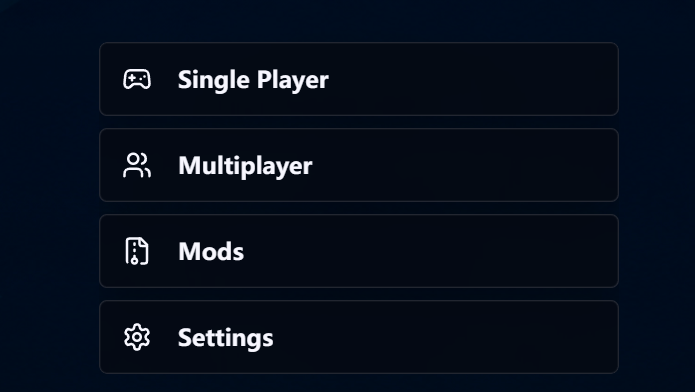
Open Workshop, choose a Dub Pack, and select Subscribe. Return to the PLAY home screen, open Mods, and wait for the pack to finish installing before trying to start it.
Subscriptions follow your account, but the playable files are installed per browser and device. A pack can appear in your library while its local files are still syncing.
- Pick a short pack for the first test.
- Use Refresh Mods if a subscription does not appear.
- Use Import Mod only for a compatible ZIP already on your device.
2. Calibrate before you perform
Open Settings and run Mic Check. Choose the real input instead of a vague Default device when several microphones are connected. Speak at the volume you will actually use in the scene, then apply the result.
A moving level meter confirms that the browser is receiving audio. If it stays flat, fix permissions before starting the pack; retrying inside a round cannot repair a blocked input.
3. Use the listen → record → replay loop
Start Single Player and select the installed pack. Listen to the original line and watch where it begins and ends. Record your replacement, replay it, and choose Retry whenever the timing, volume, or delivery is wrong.
Continue locks the chosen take and advances. Treat the first line as a technical test: make sure your voice is audible, the beginning is not cut off, and the scene audio is not feeding back through speakers.
- Pause for half a beat before speaking if the beginning is clipped.
- Match the line length before trying extreme character voices.
- Use headphones when the original-line guide audio is enabled.
4. Finish, render, and save the result
Complete every playable line and keep the tab visible while the result is assembled. When the premiere and result controls appear, replay the dub and use the available download or export option.
Save the result before opening another session. Browser data and multiplayer recovery are not a permanent cloud archive, so a finished performance should be downloaded while it is still available.
Sources and version check
Voxalike continues to evolve during public alpha. Official references are provided below for the latest labels, limits, and feature changes.